ImageView 채우기

- Aspect Fit: 비율 유지한 채 채우기
- Scale To Fill: 세로를 늘려서 채우기
- Aspect Fill: 비율은 그대로 둔 채 늘려서 채우기
Main의 UI 요소와 코드를 어떻게 연결할까
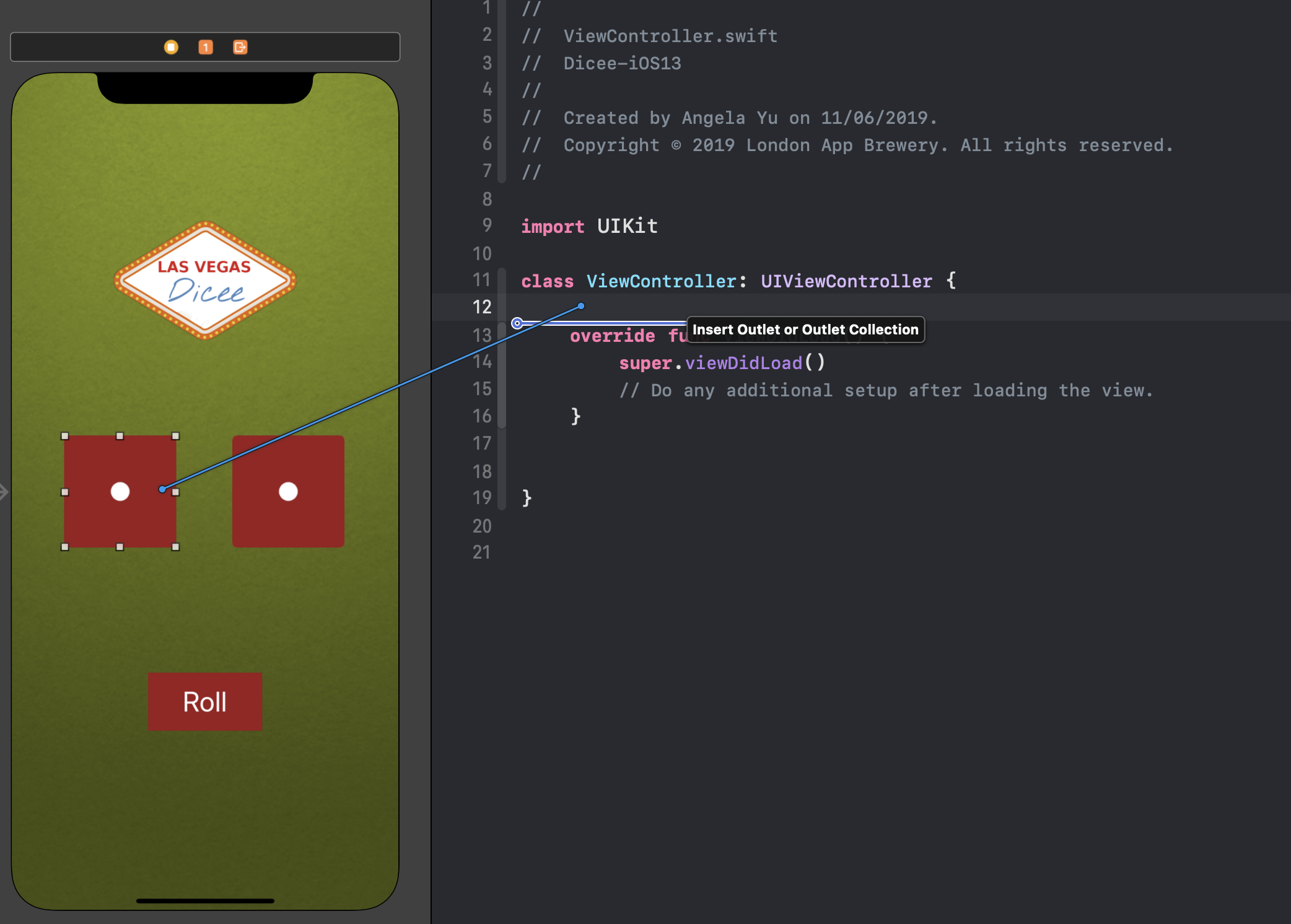
ctrl을 누른 채 UI 요소를 코드 상 원하는 위치로 드래그 → IBOutlet이 생성됨
IBOutlet은 UI 요소에 대한 레퍼런스를 제공하는 역할
Random 사용법
import UIKit

class ViewController: UIViewController {

    @IBOutlet weak var diceImageView1: UIImageView!
    @IBOutlet weak var diceImageView2: UIImageView!

    let diceImageName = ["DiceOne", "DiceTwo", "DiceThree", "DiceFour", "DiceFive", "DiceSix"]

    @IBAction func rollButtonPressed(_ sender: UIButton) {
        diceImageView1.image = UIImage(named: diceImageName[Int.random(in: 0...5)])
        diceImageView2.image = UIImage(named: diceImageName.randomElement()!)   // 둘이 같은 역할
    }

}
출처: https://www.udemy.com/course/ios-13-app-development-bootcamp/
'프로그래밍 > iOS' 카테고리의 다른 글
| Udemy iOS 강의 - 섹션 7~8 (0) | 2023.07.17 |
|---|---|
| Udemy iOS 강의 - 섹션 6 (0) | 2023.07.08 |
| Udemy iOS 강의 - 섹션 2(Storyboard) (0) | 2023.07.05 |
| Udemy iOS 강의 - 섹션 1 (0) | 2023.06.28 |
| [Swift/Ch7] 클로저: Closures (0) | 2023.02.14 |